The badge count comes from your access control panel over a pair of wires. The people count comes from the camera's own on-board analytics. The PassMatch unit, a Raspberry Pi with a relay board, counts the badges and compares them.
The panel pulses a spare auxiliary relay on "access granted". PassMatch counts the pulse on one of its inputs.
The Axis camera counts each person crossing the door line with its on-board analytics and sends the count to PassMatch over the network.
Each badge is good for one person within the door's delay (for example 12 s). Every person uses one badge.
A person with no badge left makes PassMatch pulse a relay into a spare alarm input. Guards see "Tailgate – Front Door".
Only a badge starts a timer. A person who walks in with no badge is a tailgate on their own and never uses up the next person's badge.
| Time | Event | Result |
|---|---|---|
| 09:25:33 | Badge Front Door, delay 12 s | Badge good until 09:25:45 |
| 09:25:36 | Person walks in | OK uses the badge |
| 09:25:41 | Person follows right behind | Tailgate 2 people, 1 badge · alarm sent |
| 09:26:10 | Person walks in, no badge read | Tailgate 1 person, 0 badges · alarm sent |
| 09:27:02 | Badge Badge two people badge in 3 s | Both badges good for 12 s |
| 09:27:09 | Person Person | OK 2 people, 2 badges |
The camera, the I/O device and the monitor talk over the building's LAN. The access control panel is connected by wires only, with no network link and no software integration.
Optional email alerts can use a mail server on the local network. Nothing has to leave the building.
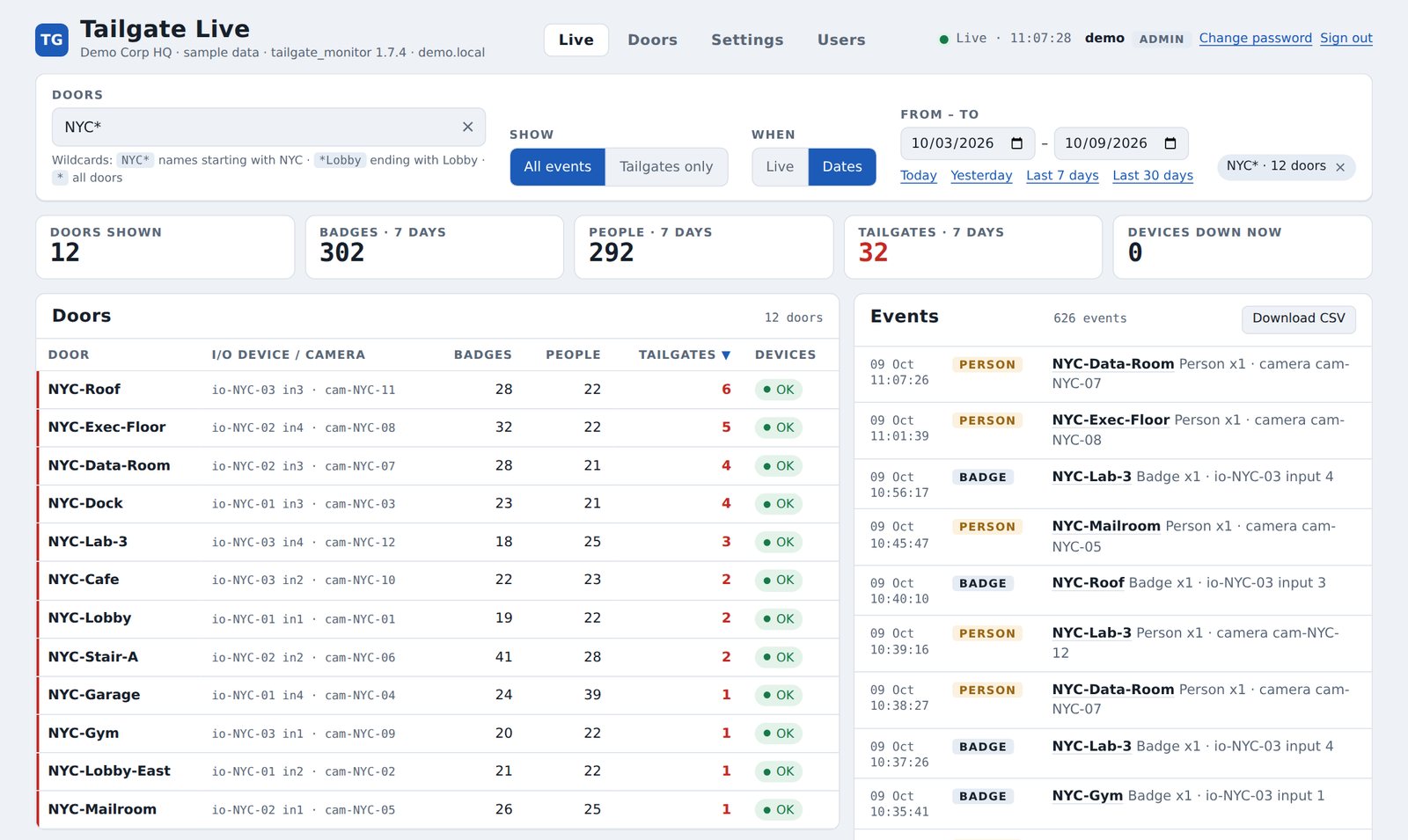
Guards and admins sign in from any PC on the network. Filter by site with NYC* or pick one door, switch to Alarms only, or look back over any date range and download it for Excel. The mother page does the same across every unit.
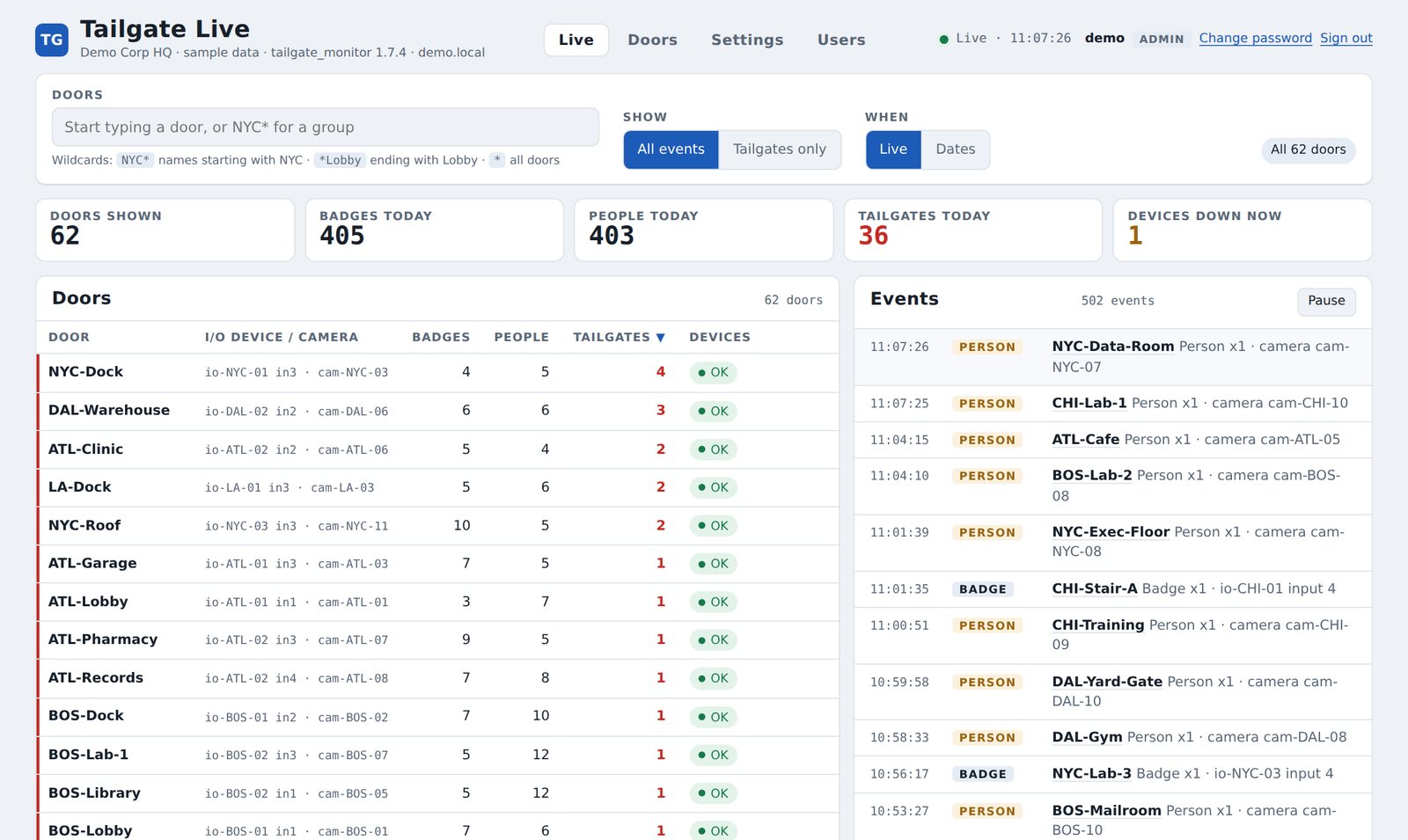
Bigger site? See the 62-door demo with door search, Dates and Reports across six sites.
A tailgate shows up as an alarm point in the access control software your guards already watch.
Every door with today's badges, people and tailgates. Filter by site with NYC* or a unit name, pick one door, or show Alarms only.
Pick any date range, see every event and download it for Excel. One click exports every log in a zip, with a folder for each unit.
Every camera and I/O device is checked each minute. A device that drops off is flagged on screen and by email.
Optional emails for tailgates, devices down, room alerts and a daily summary, through a mail server you choose.
After a power cut a unit brings back today's counts, alerts that were still on and devices that were down, so nothing is reported twice or lost.
Add a door, water or temperature sensor and pick the relay board, input and relay from a list. Inputs already in use are greyed out, so nothing is wired twice.
Viewers watch. Admins edit doors and settings in the browser, with every change checked, backed up and logged.
We can install PassMatch on a single door alongside your existing access control, with no changes to how the door works, and show you the tailgates it catches.